All In One Couch Gaming
For Windows PC
Use Windows, launch apps, browse files, type, control your system and play from the couch — all with a gamepad.
1 — The Core Experience
Controller-first Windows Shell
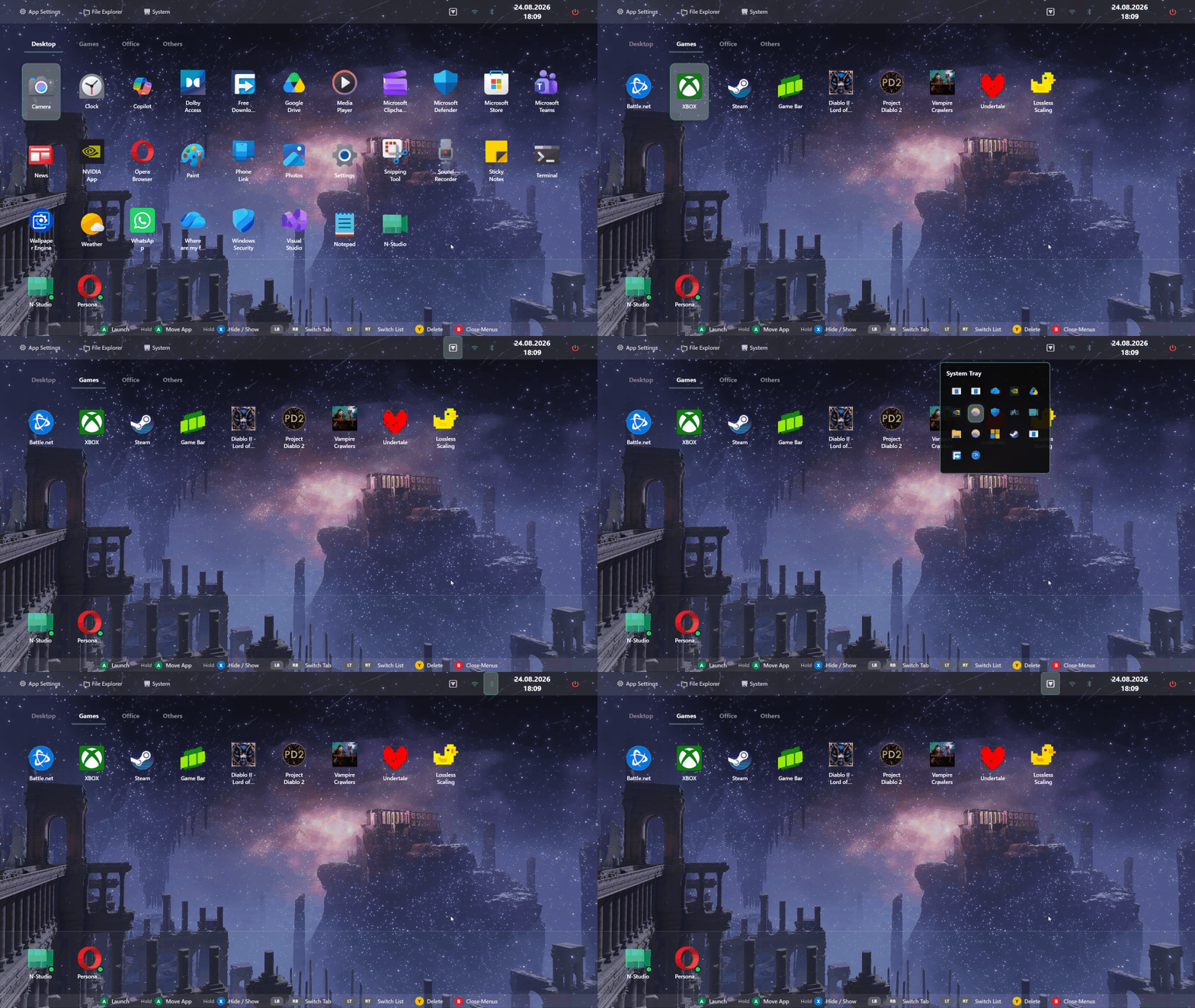
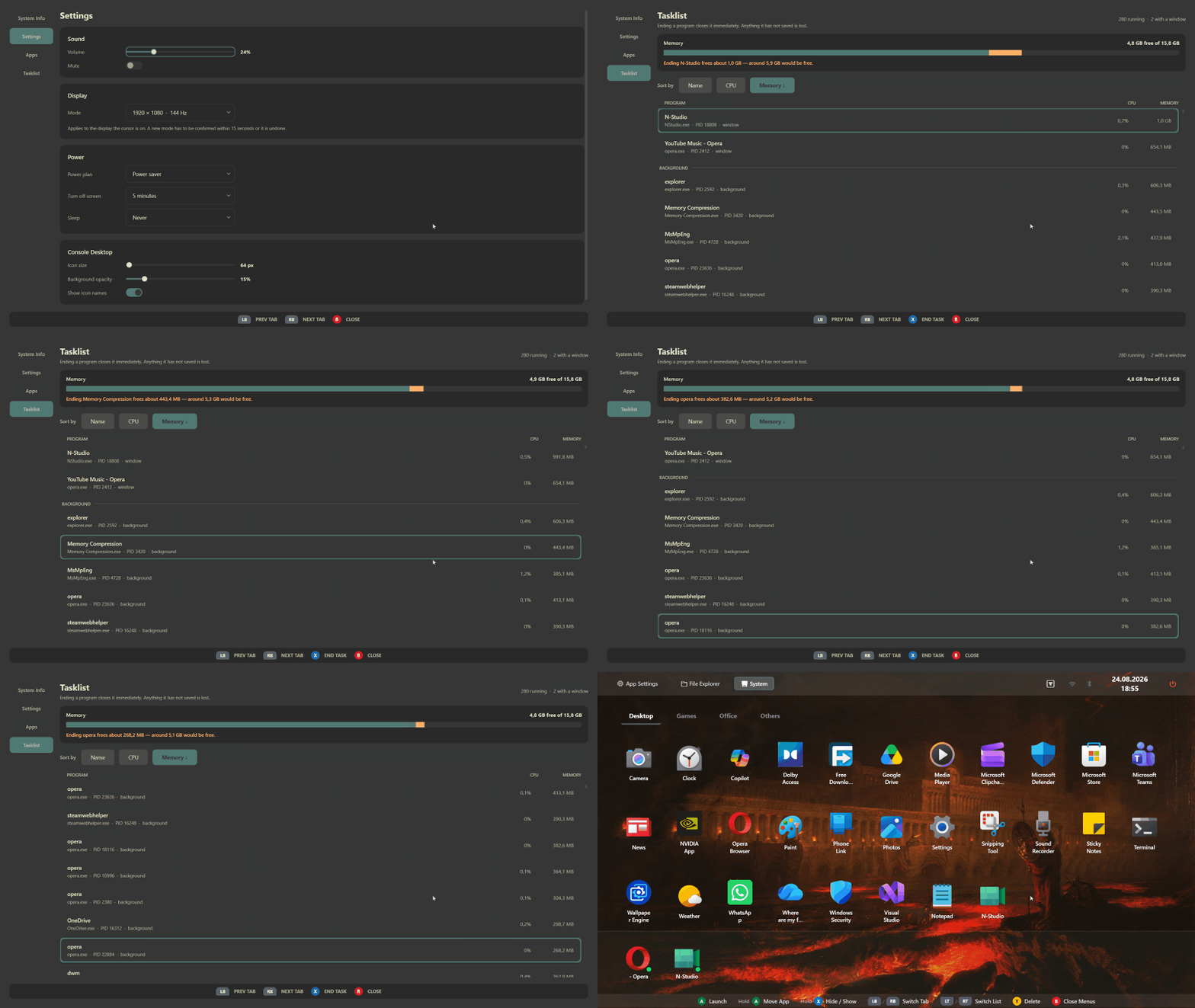
An always-ready interface that smartly gathers your desktop shortcuts and installed windows app. Hides instantly when you touch a mouse.
2 — Control Everything
Mapping, Radial Menus & Hotbars
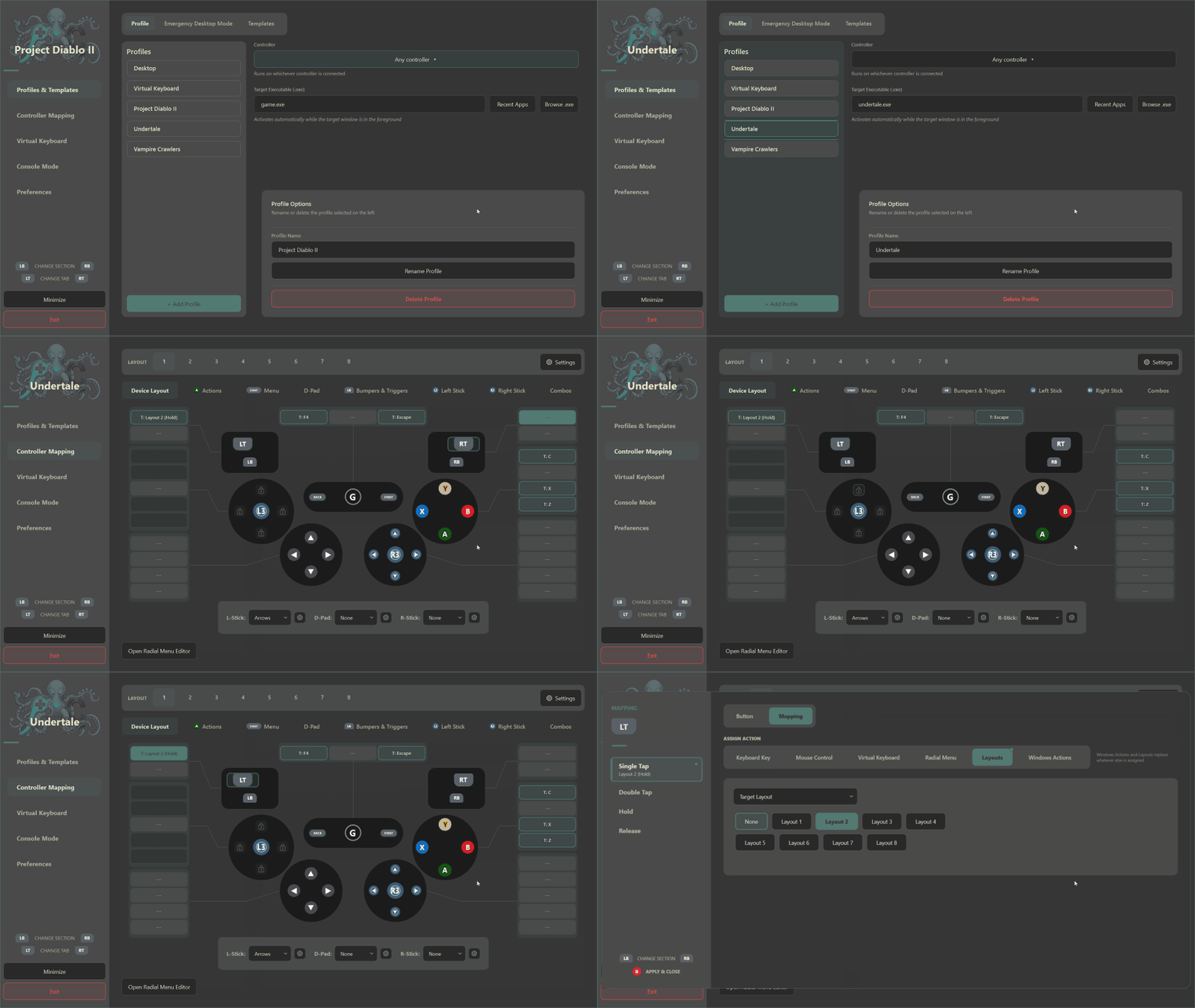
Per-App Controller Mapping
Create distinct controller profiles for every game or app. Map keyboard keys, mouse movements, or macros to tap, double-tap, hold, or release slots.
Radial Menus & Hotbars
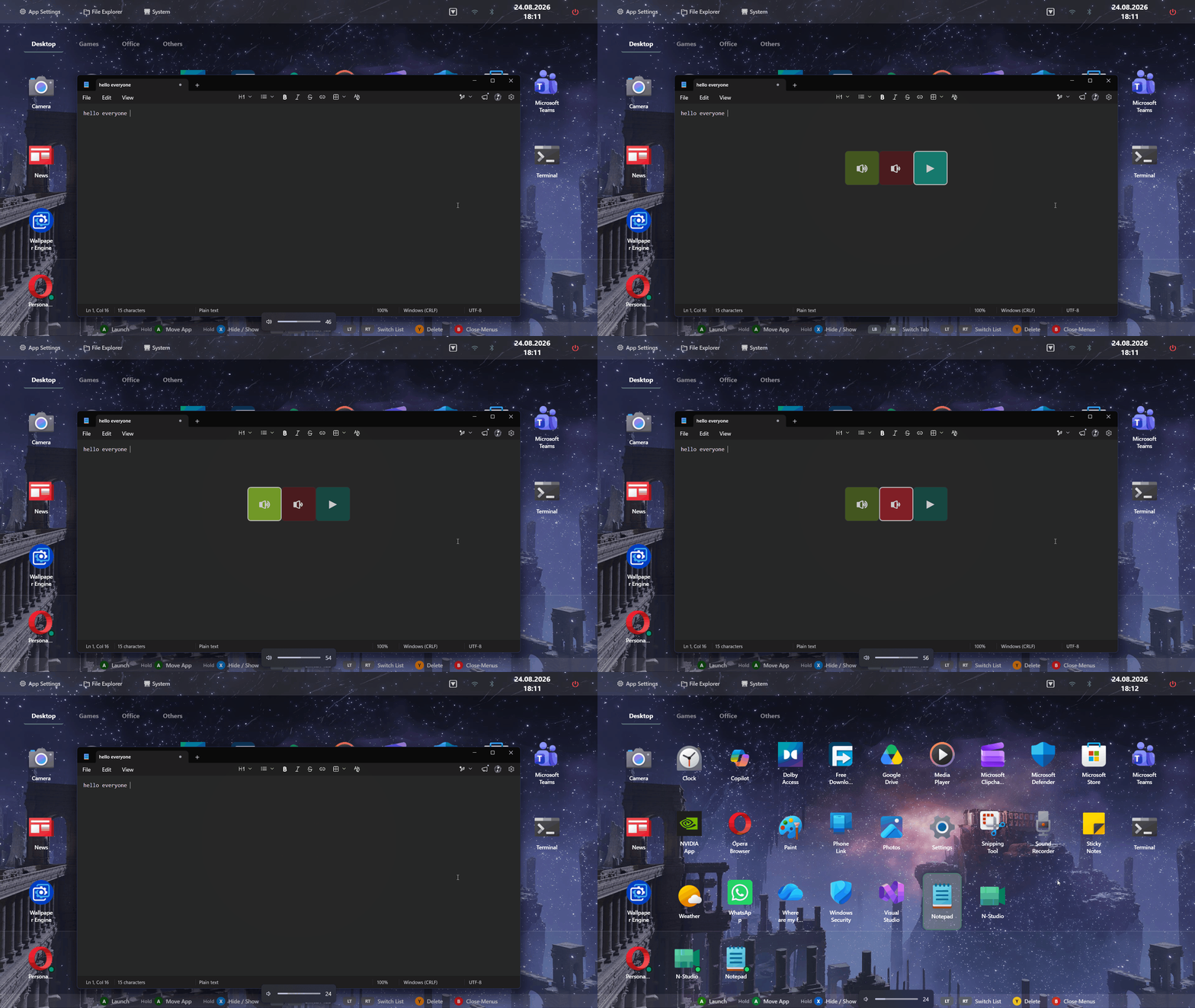
Bind nested radial menus or hotbars to any button. You control the layout, the colors, the icons, and exactly what each slot triggers.
3 — Do Everything
Keyboard, Files & System
Word Prediction & Custom Dictionaries
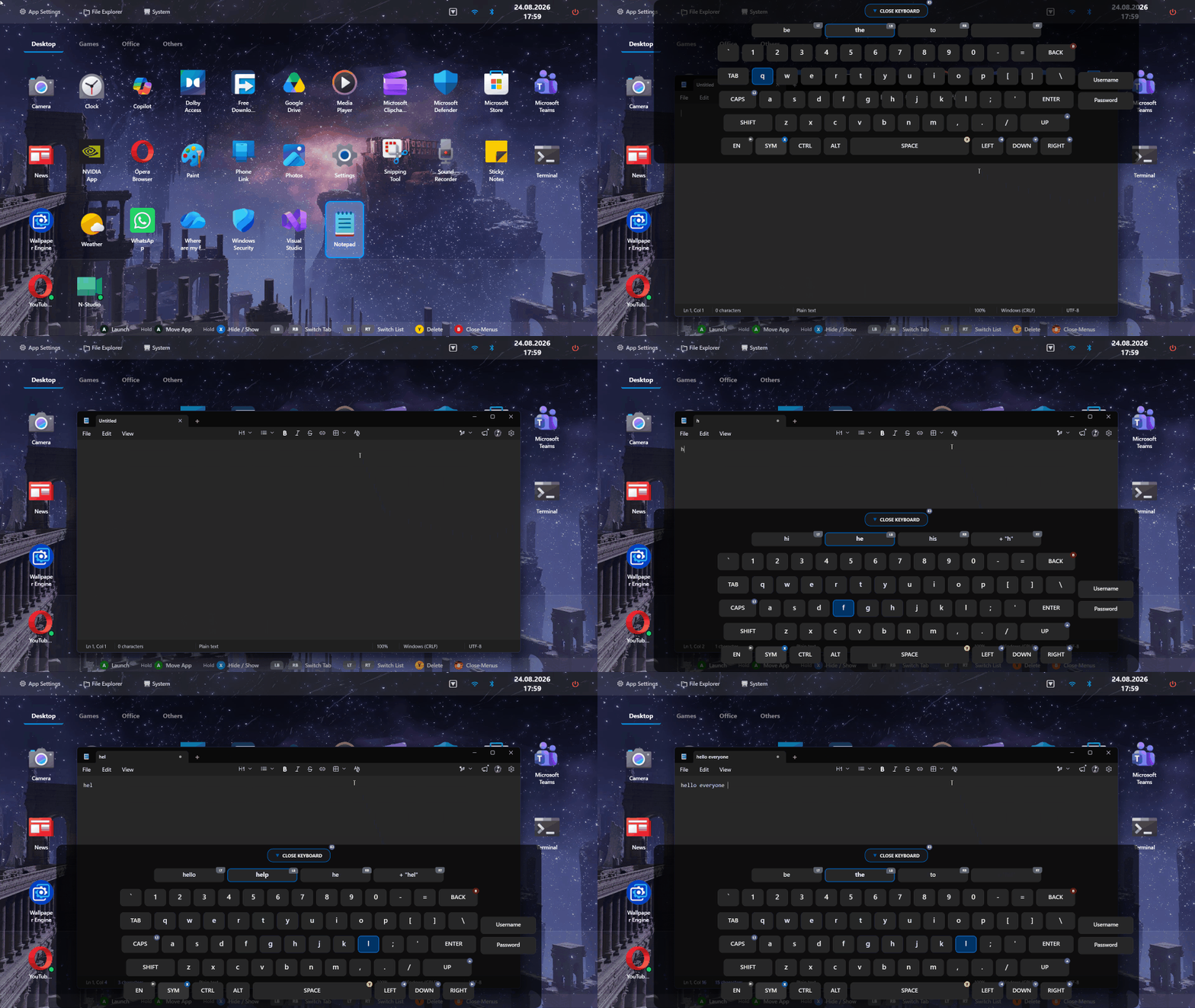
Type directly into your games or desktop chat using your controller. The keyboard has its own layout profile so you can customize how you type.
File & System Manager
A controller-first file browser. Open folders, copy files, check storage, and forcefully close frozen games without reaching for a physical mouse.
4 — Express Yourself
Dynamic Theme Engine
Custom Themes
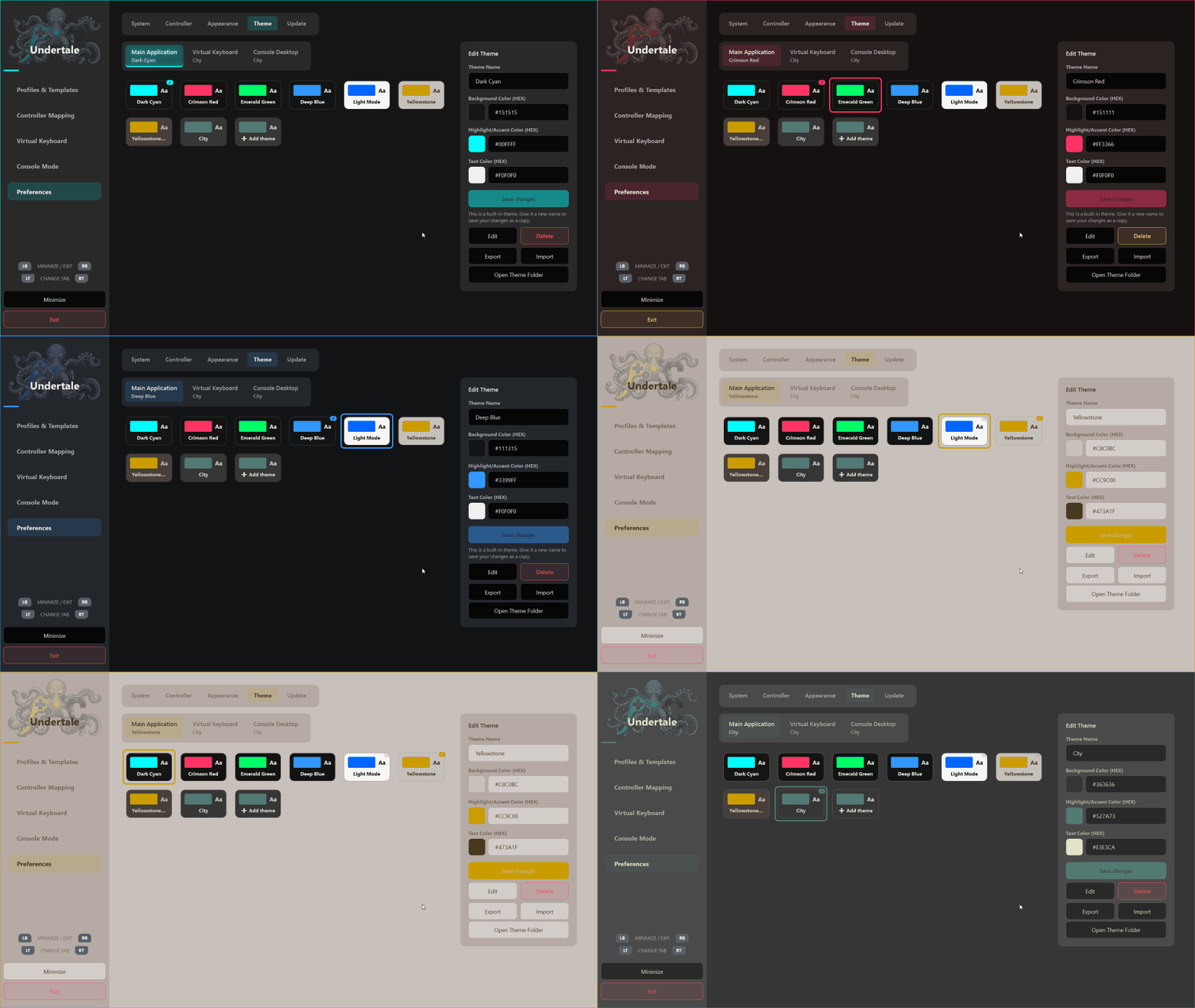
Build your own look using the built-in theme editor. Change accent colors, backgrounds, and element transparency.
5 — Community & Sharing
Community Profiles & Themes
Download, use, customize, and share.
Enhance your setup with custom layouts, themes, and dictionaries created by the community.
- No community files uploaded yet. Be the first!
The Complete Package
Why piece it together?
Stop running multiple background apps to make your PC couch-friendly. We combined every essential tool into one seamless experience.
The Fragmented Way
- For Game LaunchingHeavy, resource-intensive frontends
- For Controller MappingPaid third-party remappers
- For Desktop ControlBasic mouse simulation tools
- For Typing & ChatReaching for a physical keyboard
With PersonalConsole
- Built-in FeatureLightweight Console Desktop Shell
- Built-in FeatureAdvanced Gamepad Mapping & Macros
- Built-in FeatureCustom Radial Menus & Explorer
- Built-in FeatureSmart Predictive Virtual Keyboard
Controller & Input Customization
Controller Mapping Engine
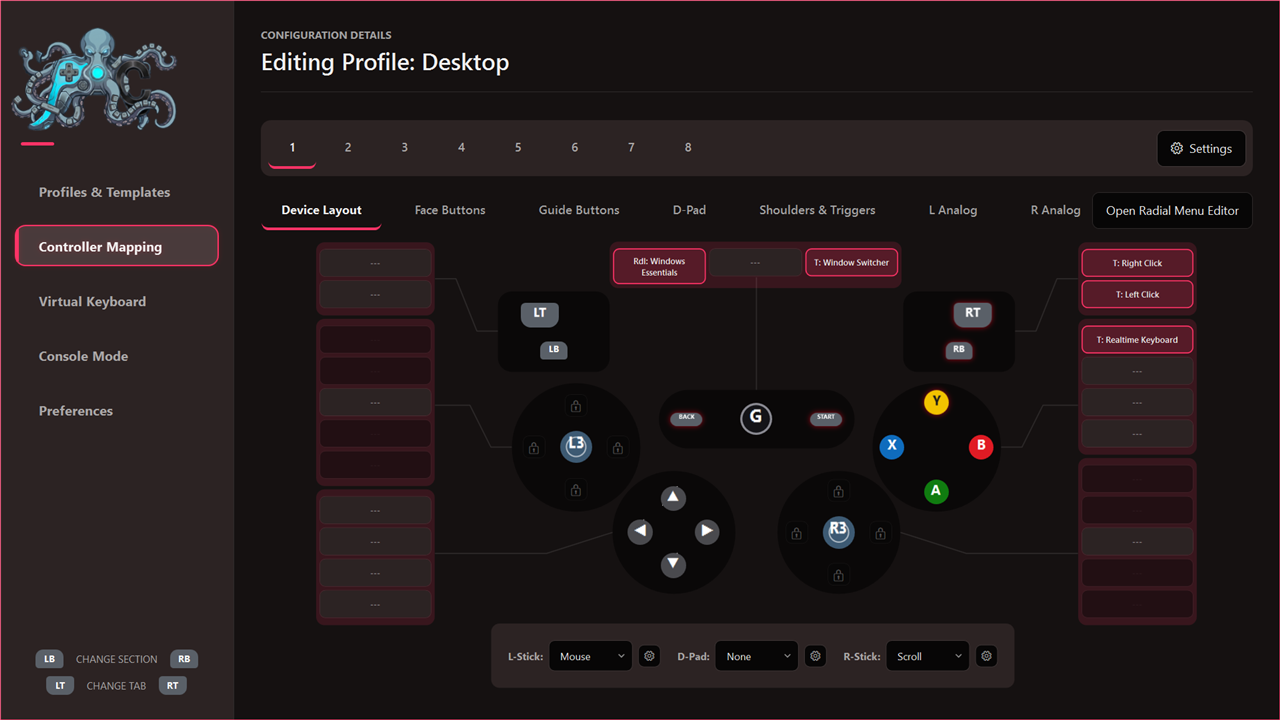
Per-application profiles. Any button can send keys, mouse actions, shortcuts or macros, with tap / double-tap / hold / release slots and eight switchable layouts. One slot can hold several of these at once.
Analog Control
Either stick can drive the mouse pointer or synthesise directional keys, with adjustable sensitivity and acceleration.
Radial Menus & Hotbars
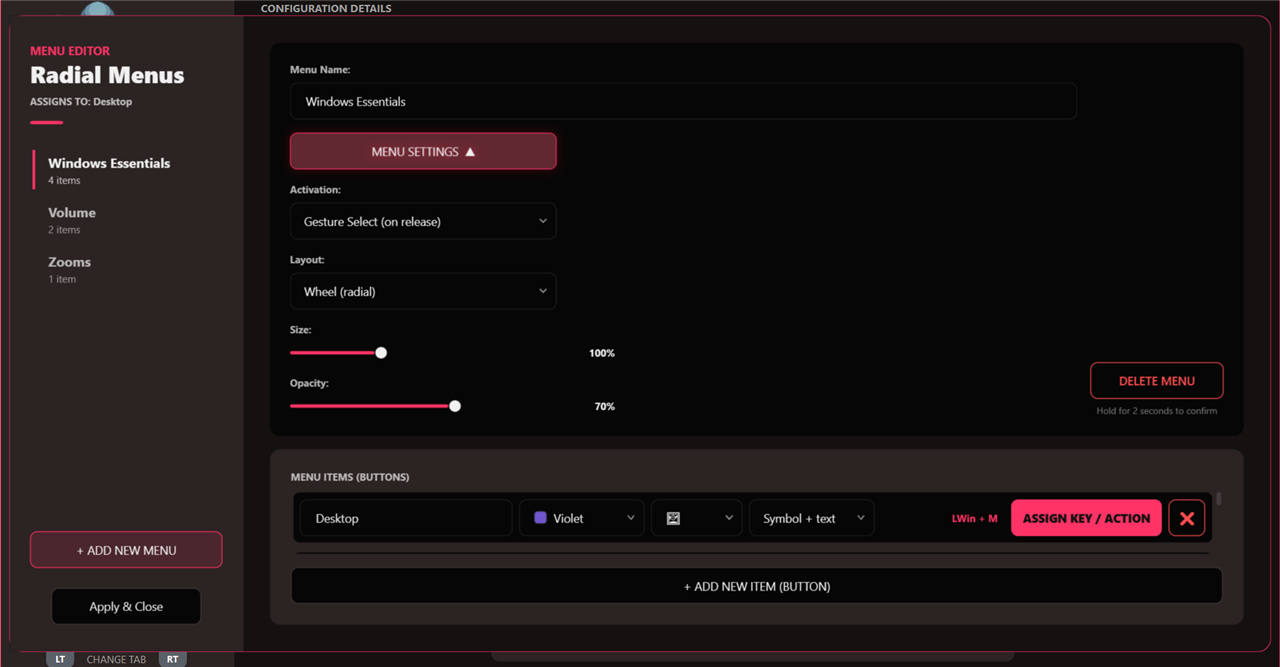
Wheel or hotbar, bound to any button, with per-item colours and symbols and nested submenus.
Emergency Desktop Mode
Never get locked out of your PC by a frozen game. Press a customizable key combination at any time to instantly force your system into a secure desktop profile.
Console Experience & Interface
Console Desktop Shell
Full-screen tile launcher with tabs, custom ordering, hidden items, a clock and a power menu. Replaces the Windows desktop while it is running and hands it back when it closes.
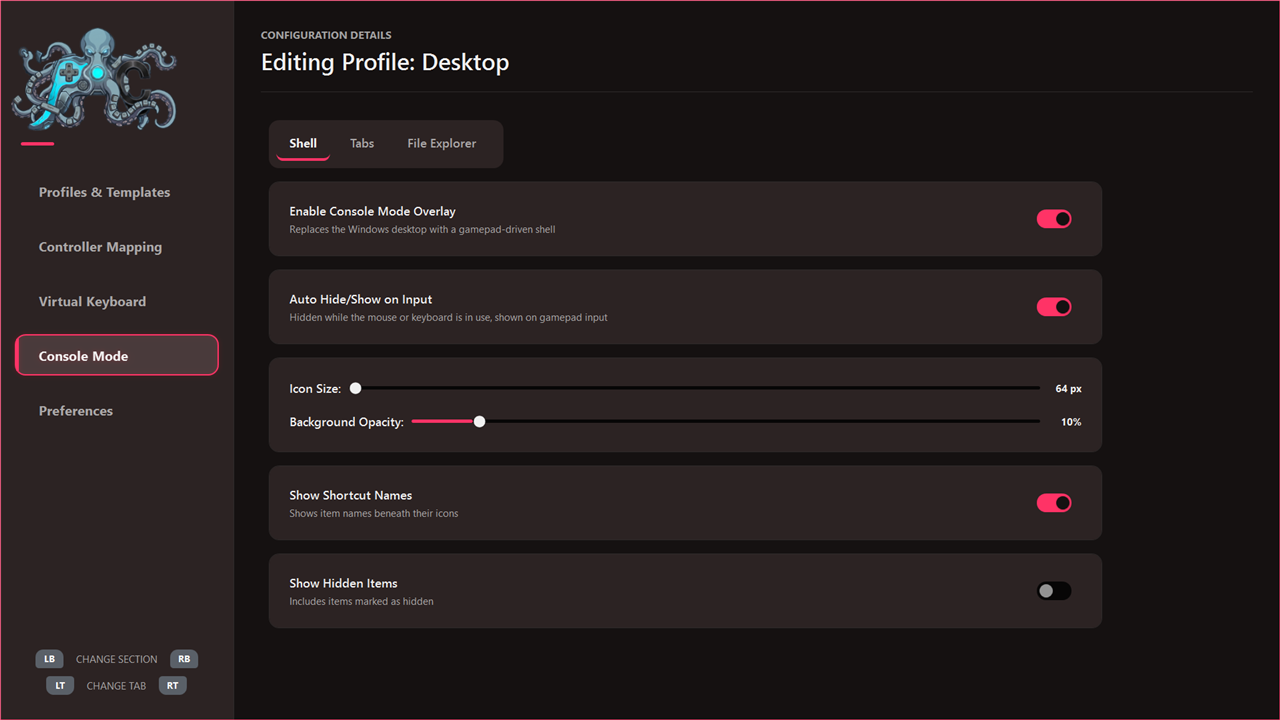
File Browser & System Panel
A controller-navigable file manager, and a system page for display, storage, running applications and installed programs.
Quick Wi-Fi & Bluetooth Access
Seamlessly access your network and device settings directly from the console shell.
Dynamic Themes
Several built in, plus a custom theme editor to personalize your setup.
Virtual Keyboard
Dual Keyboard Modes
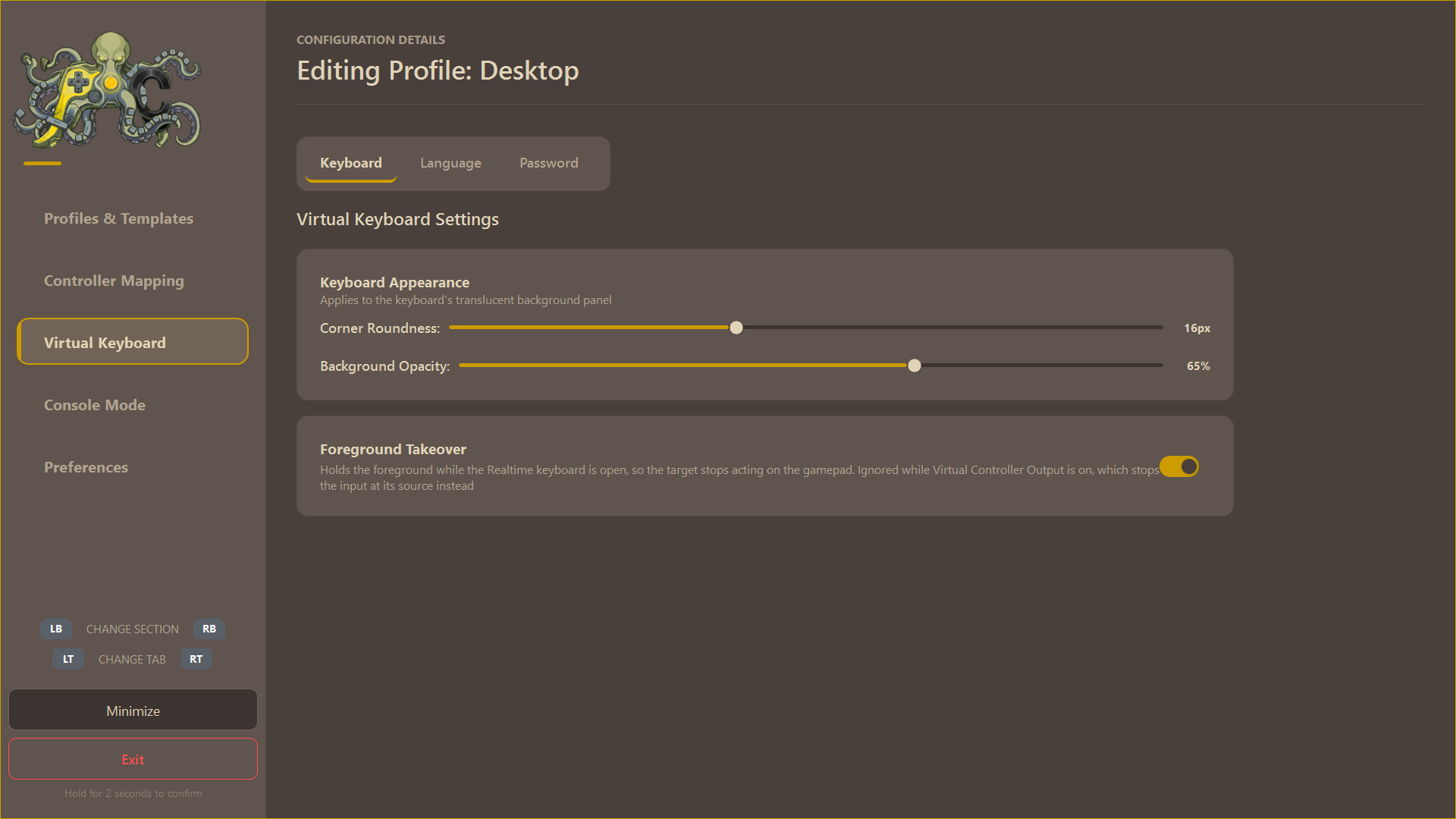
Realtime types straight into the focused application; Buffer collects the text and delivers it when you close the keyboard.
Smart Word Prediction
Word prediction and next-word suggestions, with dictionaries that learn as you type. Multiple languages included, and you can add your own.
Dedicated Control Profile
The virtual keyboard operates on its own independent mapping profile, letting you completely customize your typing controls.
Password Field Support
Credentials are stored encrypted with Windows DPAPI and never leave the machine they were entered on.